Enable NuGet Feature
SuperDucky supports NuGet package management functionality. This document will guide you through the enablement process.
Feature Overview
NuGet is the package manager for the .NET ecosystem. SuperDucky integrates NuGet functionality, allowing you to search, install, and manage .NET packages and dependencies directly within the application.
Enable NuGet Feature
1. Open NuGet Feature Entry
In the SuperDucky main interface, locate the NuGet feature option.
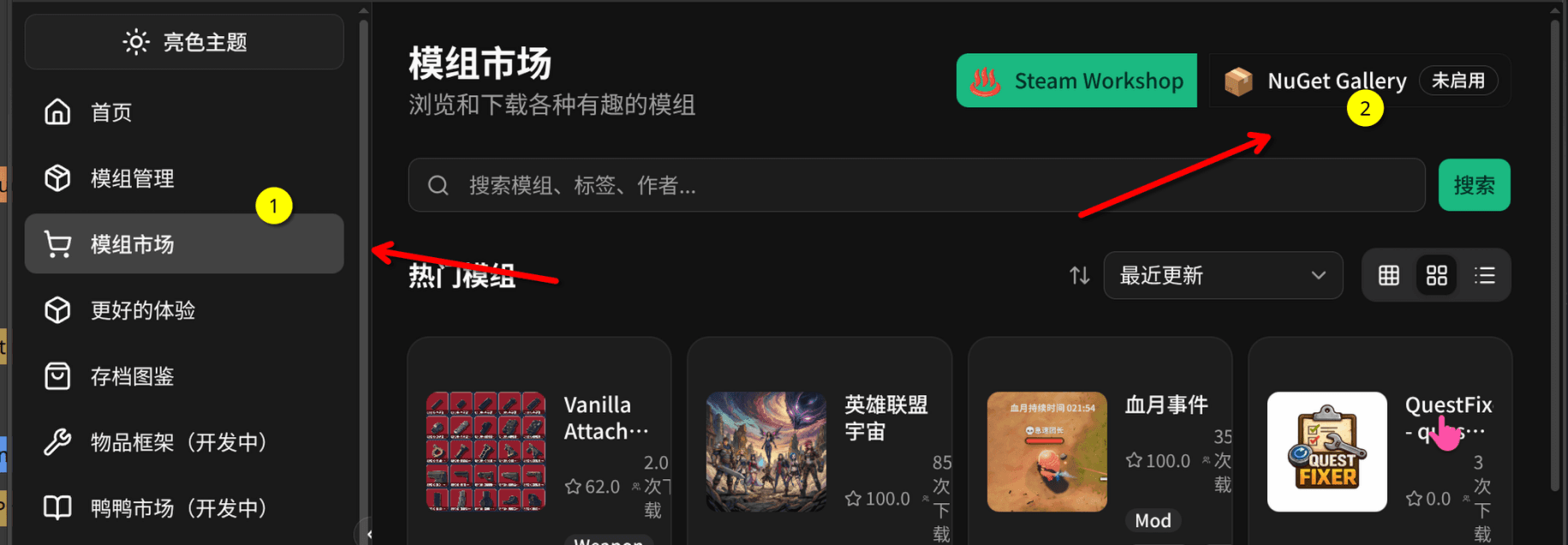
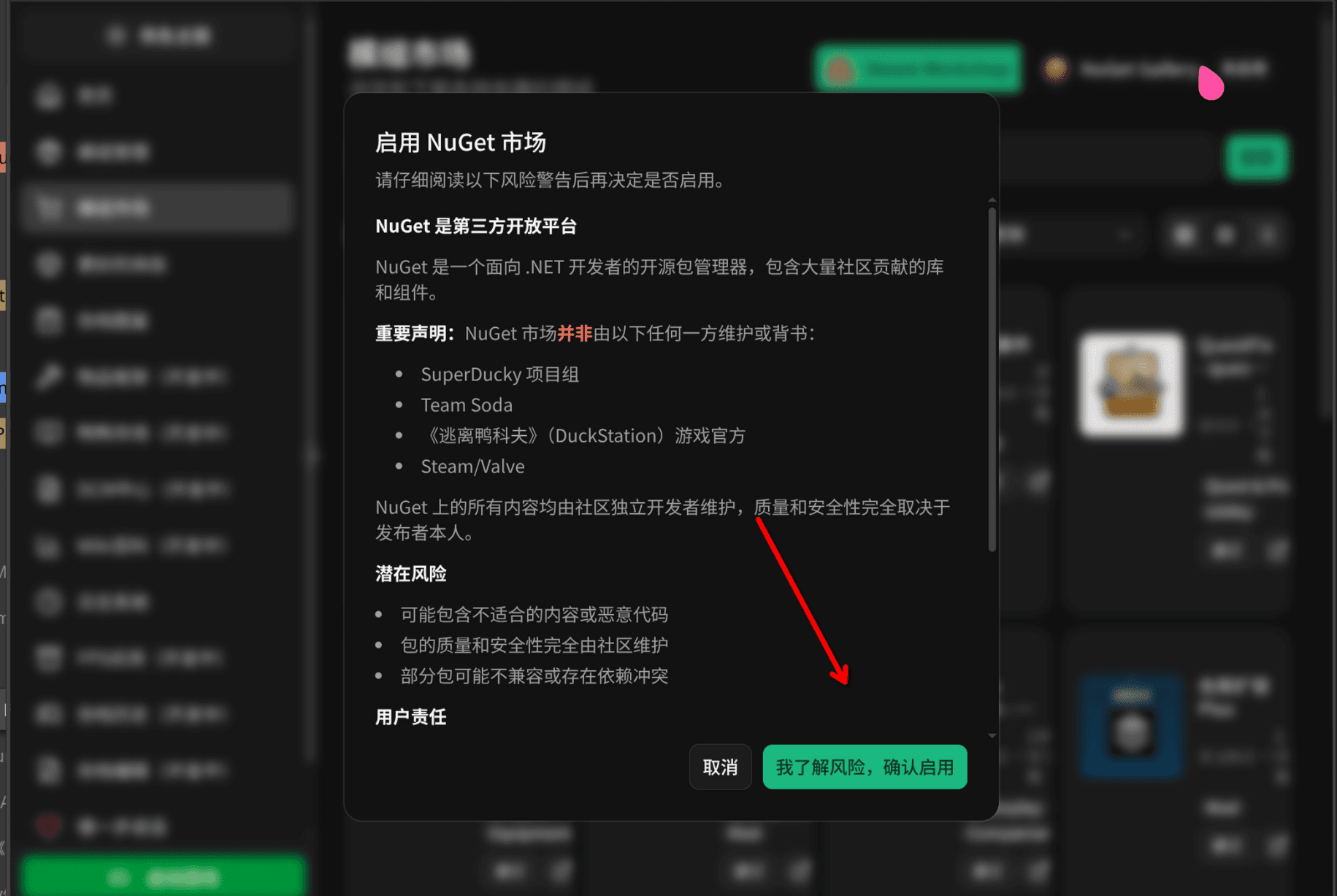
2. Confirm Enablement
Clicking will bring up a confirmation dialog. Click the confirm button to complete the enablement.
Usage Instructions
After enabling the NuGet feature, you can:
- Search Packages: Search for desired .NET packages through the official NuGet source
- Install Packages: One-click install required dependency packages
- Manage Dependencies: View and manage installed packages and their versions in your project
- Update Packages: Update to the latest package versions in a timely manner
FAQ
Cannot Access NuGet Source
If you encounter issues accessing the official NuGet source, you can:
- Check your network connection
- Configure a NuGet mirror source (such as a domestic mirror)
Package Installation Failed
If package installation fails, please confirm:
- The package name is spelled correctly
- The version number is compatible with your project
- You have sufficient disk space